
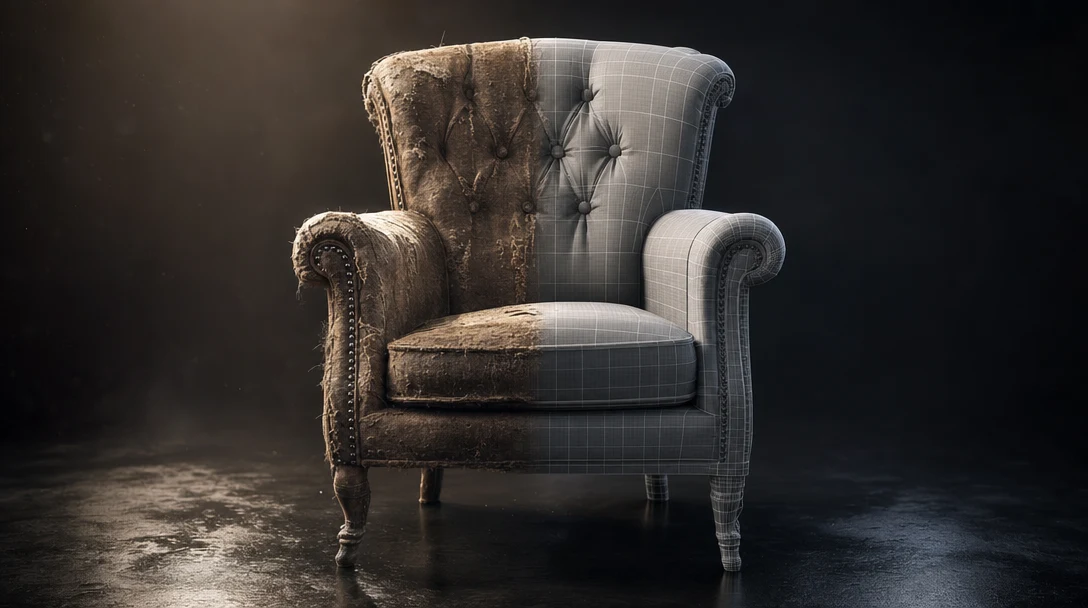
The "vs" in this title is misleading, and it trips up most people who ask the question. Gaussian splats and polygon meshes are not two flavors of the same thing the way GLB and FBX are two file formats for the same mesh. One is a way of *recording* what a camera saw; the other is a way of *building* something a tool can manipulate. Putting them head-to-head is a bit like asking whether a photograph beats a sculpture. The honest answer is that the question only resolves once you say what you intend to do with the result.
So this guide is organized around a single decision: do you need to capture a space, or control an object? Everything else follows from that.
Quick Answer
Use Gaussian splats when the input is the real world and you mostly want to move a camera through it: capturing a room, a set, or a product space with photoreal detail in minutes. Use polygon meshes when the asset has to be edited, rigged, optimized, collided with, animated, or exported into a game engine or DCC tool. Splats win on captured realism and speed; meshes win on control and handoff. They are not competing for the same job, and most real pipelines run both at once.
Why a Splat Cannot Do What a Mesh Does
A 3D model is an explicit surface: vertices, edges, faces, UVs, materials, textures. Every face is something you can select, move, retopologize, weight, or paint. That explicit structure is precisely what game engines, riggers, physics solvers, and animation tools are built to expect. The mesh is editable because the surface is *there*.
A Gaussian splat has no surface at all. It stores millions of small, soft, colored 3D points, each carrying a position, scale, orientation, color, and view-dependent opacity. Rendered together, those points reconstruct what a camera saw from many angles, soft reflections and fuzzy foliage and baked lighting included. There is nothing to grab. You cannot select a face on a splat because there are no faces. That absence is the whole story: it is why a splat captures a forest canopy in a way no one would model by hand, and also why you cannot rig it, give it collision, or relight it cleanly.
Hold that one fact and every trade-off below becomes predictable. If a task involves *changing* the asset, the mesh leads. If a task involves *recording reality fast*, the splat leads. For the underlying mechanics, see What Is a Gaussian Splat?.
The Trade-Off Map
The table below is a map of jobs, not a scoreboard. Notice the pattern: almost every row where splats read "Limited" is a row about modifying the asset, and almost every row where they read "Strong" is about capturing the real world quickly. The two formats are sorted by what they were designed for.
Dimension | Gaussian Splats | 3D Models (Meshes) |
|---|---|---|
Capture from photos/video | Strong, fast pipeline | Possible via photogrammetry, slower and noisier |
Photoreal look from real input | Strong, baked lighting and view-dependent detail | Depends on modeling, UVs, and material work |
Editable topology | None, no surface to edit | Strong, full vertex/face control |
UVs, rigging, skinning, deformation | Not supported | Strong, mature tooling |
Collision and physics | Not supported | Strong |
Game engine optimization | Viewer/runtime dependent | Strong when retopologized and LOD'd |
Hard edges and precise shapes | Weak, soft by nature | Strong |
Relighting in a new scene | Hard, lighting is baked in | Straightforward with PBR materials |
Standard exports (FBX, GLB, USD, OBJ) | Still maturing | Mature and universal |
Engine/DCC compatibility | Needs splat-aware viewer or plugin | Native across Blender, Unity, Unreal, Maya |
File size for complex scenes | Often large, scales with point count | Controllable via LODs and compression |
Best when you want to | Show what a space looked like | Control what an object can do |
Where Splats Earn Their Place
Reach for splats when the input is the real world and the output needs to look spatially convincing fast:
Capturing a physical set, room, or product space for review the same day it was shot.
Moving a virtual camera through a real environment for previs or location scouting.
Sharing spatial context with a distributed team without anyone rebuilding the space by hand.
Preserving real lighting and surface appearance straight from capture, including the messy detail that materials only approximate.
Building immersive web previews and interactive backdrops a viewer can orbit.
The deciding question is whether the goal is to faithfully record *what something looked like*. If so, a splat is usually the most efficient path: a usable, navigable scene from a phone video in minutes, which no manual modeling workflow matches.
Where Meshes Are the Only Real Answer
Reach for meshes when the asset has to be changed, shipped, animated, optimized, or dropped into an established pipeline:
Game props, weapons, vehicles, and environment kits.
Characters that need rigging and animation.
Product visualization where you swap materials, recolor, or relight the hero per shot.
Engine-ready assets with predictable performance and collision.
Anything that must survive retopology, UV unwrapping, and PBR texturing.
Clean handoff to Blender, Unity, or Unreal Engine.
If the goal is to control *what something can do*, a mesh wins almost every time. This is also why AI generators that output meshes, such as Meshy, Tripo, and Hunyuan, remain the backbone of game and product pipelines: their output drops into the same FBX/GLB/USD plumbing artists already use.
The Conversion Trap
A common hope is to skip the choice entirely by converting a splat into a mesh. Splat-to-mesh extraction is real and improving fast, and on the right capture it gives you a usable head start. But extraction reconstructs a surface that was never there, so it tends to produce dense, noisy, irregular geometry: bumpy where the real surface was flat, holes where the capture was thin, no clean topology for animation, and baked lighting fused into the result. You inherit a draft, not a deliverable.
The realistic plan is to budget cleanup. Expect retopology, UV work, and material rebuilding before an extracted mesh is engine-ready, and judge the time you save against the time that cleanup costs. On a simple static prop the math often favors extraction; on a hero asset that must animate, modeling fresh from the splat as visual reference is frequently faster than fixing the extracted geometry.
A One-Hour Bake-Off to Settle It for Your Project
Generic comparisons stall because the right answer is project-specific. Resolve it by running one real deliverable through both formats and timing the whole thing. Pick a concrete object in a concrete space (say, a hero prop sitting in a captured room) and grade against the deliverable, not against the format:
Name the actual output first. An engine-ready prop, a navigable web scene, or a previs camera move are three different tests. Decide which one you are shipping.
Capture once, feed both. Use the same photos or video for the splat and as reference for the mesh, so the comparison is fair.
Push past the first result. A splat will look finished in ten minutes. Then try to do the actual job: relight it, give it collision, animate it, export it to your target engine. This is where the two formats separate hard, and splats often lose the last two hours of the test even though they won the first ten minutes.
Record time-to-final, not time-to-first-look. The number that matters is total hours to a shippable result, including every round of cleanup.
If the deliverable is mesh-side, run the result through the production-ready AI 3D asset checklist before you call it done. That single timed exercise usually ends the format debate faster than any spec sheet, because it surfaces the cleanup cost that comparison tables hide.
Running Both in One Scene
The strongest pipelines stop choosing and combine the two. A mixed workflow typically goes:
Capture the location as a Gaussian splat.
Use the splat as spatial reference and as a backdrop layer.
Generate or import clean meshes for anything that has to be edited or interactive.
Place those meshes inside the scene, against the splat, for scale and lighting context.
Tune camera, scale, lighting, and materials until the meshes sit believably in the capture.
Export the editable meshes into production and keep the splat as context.
A film location capture, a product environment, and a game backdrop all follow the same logic for the same reason: the splat carries the real-world context cheaply, and the mesh carries everything that has to move, deform, or ship. Neither replaces the other, and trying to force one into the other's role is where most splat-vs-mesh frustration actually comes from.
This is the kind of mixed-format scene a 3D workspace should make ordinary rather than heroic. In Customuse, captured spaces, generated assets, editable scenes, materials, cameras, and exports live in one canvas: a splat can sit as reference inside Cinema Studio while mesh assets from provider nodes (Meshy, Tripo, Hunyuan, and others) get retopologized, textured, and exported engine-ready alongside it.
Common Mistakes to Avoid
Expecting a splat to behave like a mesh. No rigging, no collision, no clean material edits, no precise hard-surface geometry. Do not promise interactivity from a capture.
Expecting a mesh to capture reality instantly. Matching a real space's lighting and texture by hand or by generation takes longer than splatting it.
Treating extraction as a finished asset. It is a head start with a cleanup bill attached, not a shipped mesh.
Choosing a format before naming the deliverable. The deliverable decides the format, never the reverse.
Related Guides
FAQ
Are Gaussian splats better than 3D models?
No, because they are not solving the same problem. Splats win for fast photoreal capture and camera movement through real spaces; meshes win for editing, rigging, collision, optimization, and clean exports. Ask whether you need to capture a space or control an object, and the choice answers itself. Many projects need both.
Can you convert a Gaussian splat into a mesh?
Yes, and extraction is improving quickly, but it rebuilds a surface that did not exist in the splat, so the result is usually dense, irregular geometry with baked lighting and no clean topology. Plan on retopology, UVs, and material work before it is engine-ready. Treat it as a time-saving draft, not a finished asset.
Should game developers use Gaussian splats?
Mainly for visual environments, backdrops, references, and experiments, and only where the runtime actually renders splats. Interactive game objects still need optimized meshes with clean topology, LODs, PBR materials, and collision, so most shipped game assets are meshes.
Which format is better for VFX?
Both, in different roles. Splats are excellent for set capture, location reference, and camera planning because they preserve real lighting and spatial truth. Meshes carry the controllable elements that must animate, relight, or composite. A typical shot uses a splat for context and meshes for anything that moves or changes.
Why do Gaussian splats look so realistic but render large?
A splat stores view-dependent appearance across millions of points, including soft edges, reflections, and baked lighting that meshes only approximate with materials. That richness is why captures look convincing, and also why file size scales with point count, so a complex splat scene can be far heavier than a well-optimized mesh using LODs and texture compression.


