Quick Answer
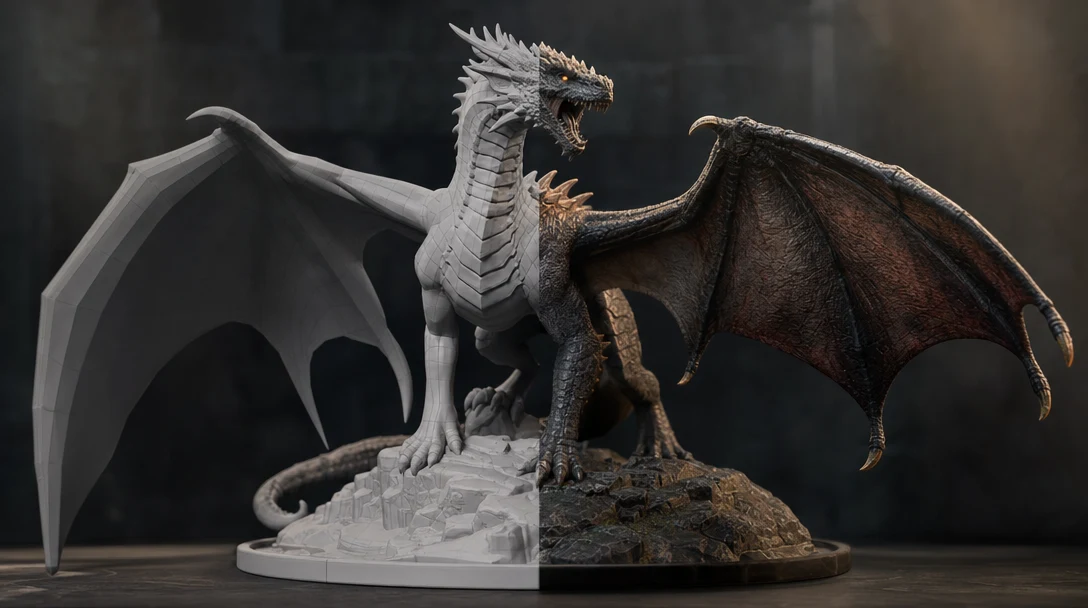
Text-to-STL produces one watertight, printable mesh: geometry only, no materials or rig, sized in millimeters for a printer bed. Text-to-3D model produces an editable asset you can texture, animate, light, and export to a game engine or web viewer. STL is a file format and a final destination; "3D model" is a category of asset with many destinations. Pick text-to-STL when a person will physically hold the result. Pick a text-to-3D workflow when a camera or engine will render it. The naming overlap hides the real split: it is decided by where the file goes, not by the prompt.
What a Prompt Has to Carry That an Image Doesn't
Text-to-3D has a problem image-to-3D never faces: there is no reference geometry to anchor the result. With a photo, silhouette, proportion, and rough volume are already implied by pixels. With a prompt, every one of those has to be spelled out or guessed. "A gear" leaves the generator to invent tooth count, bore diameter, thickness, and tolerance — and the same six words can resolve into a 12mm watch cog or a 200mm industrial sprocket.
This matters because the two destinations punish vagueness in opposite ways. A printer is unforgiving about *physical* facts the prompt omits: a wall that reads as "thin and delicate" in text becomes a 0.3mm shell that snaps off the bed. An engine is unforgiving about *digital* facts: "highly detailed" with no polycount or material direction yields a million-triangle blob with baked-in lighting that fights every scene it enters. So before choosing a path, it helps to know which kind of missing information will hurt you, because text leaves more of it missing than any image ever does.
STL Is a Format; "3D Model" Is a Category
STL (stereolithography) stores one thing: a mesh of triangles describing a closed surface. No UVs, no PBR maps, no vertex colors, no animation data, no scene hierarchy, and no reliable unit scale in the common ASCII and binary variants. That minimalism is the point — a slicer only needs the shape and proof that it is manifold (watertight) before it can compute toolpaths. So "text-to-STL" almost always means "describe an object I am going to print."
A "3D model" in a digital pipeline is the opposite kind of object: surface detail, separated materials, UV coordinates, often a skeleton. It is bound for a game engine, a render, a configurator, or a web page, where appearance and behavior carry as much weight as silhouette. "Text-to-3D model" therefore means "describe a usable digital asset," with STL as just one of several possible exports at the very end.
The asymmetry is the practical lesson. A model built for a screen can be exported to STL after a solidity pass, because the richer source already holds the geometry a printer needs. An STL built for a printer rarely back-fills into a textured, animated, game-ready asset — the materials, UVs, and clean topology were never captured, so you would be reverse-engineering information that does not exist in the file.
A Note on Format and Color
One detail trips people up: STL's no-color rule is true for *standard* STL only. If color or print metadata matters — multi-material prints, embedded part names — 3MF carries that data and is increasingly the better print format, even though STL remains the most widely supported. So "skip color, it's a print" is shorthand, not a hard rule. Match the format to what the slicer and printer actually accept, not to habit.
Detailed Comparison: STL Output vs a Text-to-3D Workflow
The table maps the dimensions that decide cleanup time and whether the asset survives its real destination.
Dimension | Text-to-STL (print target) | Text-to-3D Model (digital asset workflow) |
|---|---|---|
Primary destination | 3D printer, CNC, prototyping | Game engine, render, web, configurator, animation |
Geometry requirement | Watertight, manifold, no holes | Clean topology, controllable polycount, LOD-friendly |
Materials / textures | None in standard STL | PBR materials: albedo, normal, roughness, metallic |
UV coordinates | Not needed | Required for texturing |
Animation / rigging | Not supported | Supported via retopology and a skeleton |
Color | None in standard STL (3MF carries it) | Vertex color or full texture maps |
Scale / units | Critical (physical mm) | Important but flexible per engine |
Wall thickness / solidity | Must be solid and printable | Surface model; can be open shells |
Typical failure mode | Non-manifold mesh, thin walls snap | Dense raw mesh, baked materials, off-scale import |
Best common formats | STL, 3MF, OBJ | GLB, FBX, USD, OBJ |
What the prompt must stress | Form, thickness, scale, simplicity | Style, materials, role, scene fit, export target |
Read it as a routing decision. If your answers cluster left, you want a print-oriented file. If they cluster right, STL is too narrow and will cost you a rebuild.
A Word on Tools and Lanes
It is tempting to sort tools into a clean "print path" and "digital path." Reality is messier, and getting it wrong is unfair to the tools. Sloyd, for instance, is sometimes cast as the printable-solids counterpart to Meshy or Tripo — but Sloyd positions itself as a parametric, game-ready text-to-3D generator with clean topology and UV unwrapping *as well as* watertight STL export. It competes on the digital side, not just the print side. Meshy, Tripo, and Hunyuan likewise produce textured meshes that can be solidified for printing. The honest framing is that most modern generators span both destinations; what differs is which they optimize for and how much cleanup each leaves before your specific output is usable.
So treat the lane split as a property of *your* job, not a fixed property of the vendor. The question is never "which tool is the print tool" — it is "which tool gets *this* object to *my* destination with the least rework."
When to Choose Each
Choose text-to-STL when:
The end product is physical — a tabletop miniature, a replacement bracket, a desk toy, an enclosure.
You need silhouette and solidity, not surface appearance.
The object will be sliced and printed, then hand-painted if color is wanted.
You want the simplest handoff to a slicer like Cura, PrusaSlicer, or Bambu Studio.
Choose a text-to-3D model workflow when:
The asset appears on a screen — a game prop, a VFX hero element, a product render, a web 3D viewer.
It needs materials, textures, or normal maps to read convincingly under lighting.
It will be animated, rigged, or placed in a larger scene with other assets.
It must export in an engine format inside a repeatable pipeline.
The gut check: if a human will *hold* the result, lean STL; if a camera or engine will *render* it, lean text-to-3D. Edge cases exist — a printed film prop, a printed product mockup — but there the print is the last step of a longer digital workflow, and you still build the rich model first.
Run One Brief Through Both Paths
Tools and formats are easiest to judge with a single controlled brief. Crucially for text-to-3D, write the prompt once and reuse it verbatim, because the prompt itself is the variable you are testing.
Write one neutral brief with physical anchors. Example: "fantasy treasure chest, 60mm wide, closed lid, 2mm minimum wall." The dimensions force both paths to commit to scale instead of guessing.
Generate the print path. Send it to a tool tuned for printable output. Check: is it manifold? Are walls above your printer's minimum so they survive handling? Does it slice without errors at your layer height?
Generate the digital path. Send it through a text-to-3D generator. Check: is the topology workable, are materials separated, are UVs present, does it import at correct scale into your engine?
Score against the destination, not the preview. A pretty render is worthless if the mesh is non-manifold; a watertight STL is worthless if a game needs textures it does not carry.
Measure time-to-usable, not time-to-mesh. Count retopology, remeshing, UV work, and material setup. That is the real cost of any tool.
This is also how you avoid the classic mistake: judging a printable STL by game-asset criteria, or a textured model by printability. Different jobs, different rubrics. For the digital side, a production-ready AI 3D asset checklist gives a repeatable pass/fail standard so the comparison stays objective.
Writing the Prompt for the Right Destination
Because a prompt has no reference image to lean on, the destination has to be written into the words. The same noun produces the wrong file otherwise: "sci-fi crate" could be a printable solid, a low-poly game prop, a high-detail VFX hero, or a quick concept reference, each with different geometry and export needs.
For text-to-STL, state solid form, wall thickness, overall scale in millimeters, simple non-fragile detail, and whether parts (like a lid) should print separately.
For text-to-3D model, state style, material direction, the asset's role, polycount expectations, camera or scene context, and the export format the next tool needs.
This is the deeper reason text-to-3D benefits from a workspace over a bare prompt box: words underspecify the asset, and the pipeline around the words is what makes the output usable. To see prompt intent carried all the way to an engine-ready file, the prompt-to-production walkthrough traces the full path.
Using Them Together
The two paths are stages of one process when a digital project eventually needs a physical copy:
Generate and refine the rich model through a text-to-3D workflow, with materials and correct proportions.
Iterate on form in a controllable canvas until the silhouette is right.
When a physical copy is needed, run a solidity and watertightness pass, then export to STL or 3MF for the slicer.
This is where a workflow workspace earns its place. In Customuse, a text prompt is a node in a larger graph rather than a one-shot generator: route generation through providers such as Meshy, Tripo, or Hunyuan, keep references and iterations in the canvas, set materials and scene context, review with a team in real time, and export to what the destination requires — GLB and FBX for engines, OBJ, STL, or 3MF when the object heads to a printer. The same project can yield a textured game asset *and* a printable variant without starting over, because the source model holds more than an STL ever could.
FAQ
Is text-to-STL the same as text-to-3D?
No. Text-to-STL targets one printable format with geometry only — no materials, UVs, or animation. Text-to-3D model is a broader workflow that can target games, VFX, product visualization, animation, and web 3D, with STL as just one possible export at the end.
Can STL files be used in games?
Usually not directly. STL stores raw triangle geometry with no UVs, materials, or rig, and its meshes are often dense. You can convert and then retopologize, UV-unwrap, and texture it, but that is more work than starting from a text-to-3D model built for engines. For game work, see AI 3D tools for game assets.
What should a text-to-STL prompt include?
Physical form, overall scale in millimeters, solid structure and wall thickness above your printer's minimum, simple non-fragile detail, and whether components should print as separate parts. Standard STL ignores material and texture language, so spend the words on geometry instead — unless you are exporting 3MF, which can carry color.
What should a text-to-3D prompt include?
Object type, style, intended use case (game, VFX, product, web), material direction, polycount or detail expectations, camera or scene context, and the export format the next tool needs. With no reference image, the destination has to be explicit, not implied.
Does choosing the wrong target create extra work?
Yes. A printable STL forced into a game pipeline needs retopology, UVs, and texturing it never had. A surface-only digital model sent to a printer may be non-manifold or too thin to survive. Matching target to destination up front is the cheapest cleanup decision available.