Quick Answer

A world model can generate a convincing spatial scene from a prompt, but a generated world is not a production workflow. Teams still need to select and reuse the objects inside it, fix materials, direct cameras, preserve decisions across iterations, review changes together, and export clean files into an engine or DCC tool. The frontier question is "can AI imagine a world?" The production question is "can my team reliably do something with it tomorrow?" Those are different problems, and the second one is solved by the editing, state, and export layer wrapped around the model — not by a bigger model.

The Problem: A Generated World Is Not Work

A generated world can be visually stunning and still be almost impossible to use. The output looks finished in a video, but the moment a creator tries to *do* something with it, the gaps appear.

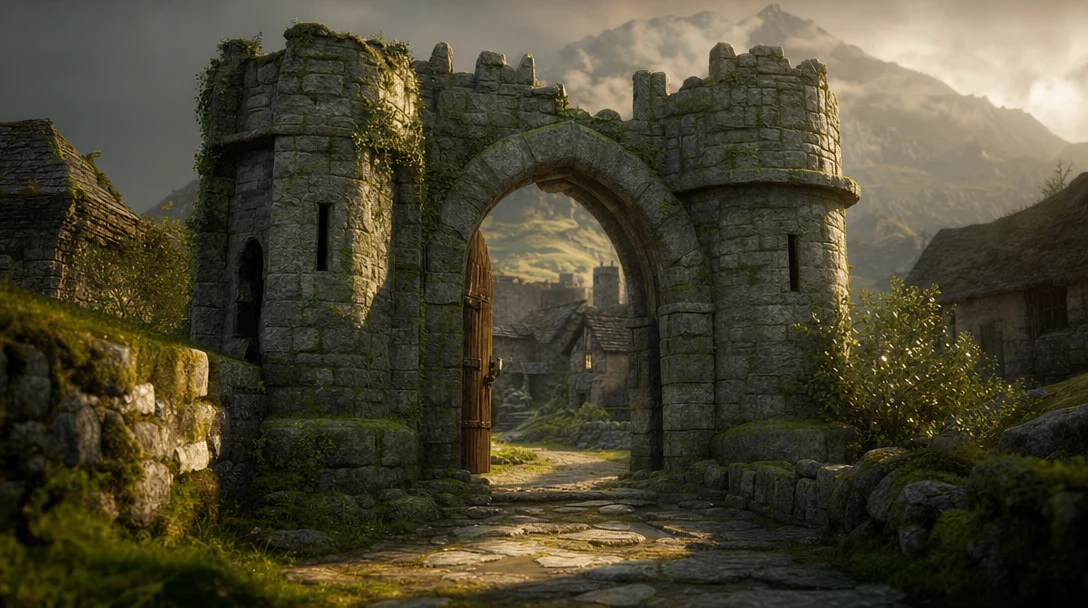
Consider a concrete case. A world model produces a medieval courtyard: cobblestones, a well, a market stall, torches on the walls. As a render, it is excellent. Now a game team wants to ship it. Suddenly the questions are practical:

  • Can I select just the market stall and reuse it in three other levels?

  • Are the cobblestones one welded mesh or separable instances?

  • What is the polygon budget, and does the well have collision geometry?

  • Are the materials real PBR maps, or baked lighting fused into a diffuse texture?

  • If the art director says "make the torches warmer," can I change that without regenerating the entire scene and losing everything else?

  • Can two artists work on it at once, and can the lead approve a version?

  • Does it export as FBX or GLB with intact material slots and a sane object hierarchy?

A pure generative output usually answers "no" to most of these. That is not a flaw in the model. It is a category difference. The model produced *spatial possibility*. The team needs *spatial work* — and work has structure, history, ownership, and a destination.

What A World-Model Output Is Missing

A world model is trained to predict a coherent spatial environment: it outputs geometry, surfaces, and layout that look internally consistent. That is a genuinely hard problem, and it is exactly the wrong thing to confuse with a finished asset. The output is a snapshot of a possibility, not a set of parts a person can pick up and direct.

The same shape played out one dimension down. Image generators became useful at scale only once editing, layers, masks, versioning, and export sat around them — the model produced the picture, but the tooling made it work. Spatial generation now sits where image generation sat a few years ago: impressive at the output, undirectable underneath.

A world-model output that a team can actually use needs layers the raw generation does not include:

  • Assets they can isolate, name, and reuse across projects.

  • A scene graph with objects, scale, position, hierarchy, and parenting.

  • Cameras and lighting they can direct, not just inherit.

  • Materials they can inspect and reassign — albedo, normal, roughness, metallic, ORM — rather than baked-in pixels.

  • State so a decision made on Tuesday survives the regeneration on Wednesday.

  • Versions they can branch and compare side by side.

  • Constraints — costume, geography, continuity, brand rules — that persist across outputs.

  • Collaboration so review and approval are part of the process, not an email afterward.

  • Export into engines, DCC tools, and production systems with intact topology and materials.

Strip those away and the generated world is a demo. Add them and it becomes a pipeline. Notice that none of these layers are properties of the model — they are properties of the workspace the model feeds. A larger model produces a denser, more detailed snapshot; it does not produce the snapshot's edit history, its material slots, or its review state.

Before And After: The Same Output, Two Outcomes

The clearest way to see the gap is to put a raw generation next to the same asset inside a 3D workflow. The model output is identical. What changes is everything around it.

Production need

Raw world-model output

Inside a 3D workflow

Reuse a single object

Manual cut-out, often a fused mesh

Selectable, named asset reusable across scenes

Change one material

Regenerate and lose other edits

Reassign one PBR slot, keep the rest

Adjust a camera

Re-prompt and hope

Direct camera, lens, and framing as data

Keep a decision across iterations

No memory; drift between runs

Persistent state and constraints

Compare two directions

Two separate renders to eyeball

Branched versions, side-by-side

Team review

Screenshots in chat

Shared canvas with review states

Hand off to an engine

Uncertain topology and materials

Clean FBX/GLB/USD with material slots intact

The right-hand column is not a better model. It is a workspace. The output started in the same place; the workflow is what made it shippable.

Why 3D Specifically — Not Just Any Workflow

3D creation is inherently structured, and that structure is exactly what a workflow has to represent. A scene is not pixels. It is objects with scale and position, a hierarchy that says the wheel belongs to the car, lighting that should not be melted into the texture, cameras that move on paths, materials that have to behave consistently under different lights, and often rigging, animation, or interaction on top.

Those relationships have to live *somewhere*. If a model generates an environment but the creator cannot reliably grab the parts, reassign a surface, or reposition a light, the output is impressive and undirectable at the same time. A 3D workflow gives the generated world a practical shape: object organization, scene-graph structure, material assignments, camera control, export rules, review states, editable versions, and reusable node graphs that capture *how* the result was made so it can be remade or varied later.

This is why node-based workflows matter so much for spatial AI. A node-based 3D workflow makes the steps visible: a concept node feeds a base mesh, which branches into variations, which run through a retexture step, with side-by-side outputs and a final export. When the world model is one node in that graph instead of the whole product, its output becomes editable, comparable, and repeatable — which is the difference between a one-off and a repeatable production process.

The Gap Between Research And Production

Frontier demos answer "what is becoming possible?" Production tools answer a colder question: "what can a team reliably ship tomorrow?" That gap is where workflow products earn their value.

A creative team does not only need a model to imagine a space. It needs to choose the useful parts, preserve decisions, attach meaning to objects, pass work between people, and move the output into the next system in the chain. None of that is a generation problem; it is a tooling problem. And the direction matters: as world-model research improves, the demand for tools that make spatial output usable *increases* rather than shrinks. A denser output is more material flowing into a pipeline that still has to organize, review, and export it — more objects to name, more surfaces to reassign, more relationships to keep from drifting between runs.

This is the single most counterintuitive point in the whole debate, so it is worth stating once and clearly: progress on the model side does not reduce the workflow problem, it enlarges it. People expecting better models to make 3D tooling obsolete have the dependency backwards.

Where Generated Worlds Break In Practice

The abstract gap becomes concrete the moment a specific team tries to ship a specific deliverable. The failure is rarely "the world looked bad." It is "the world could not be turned into the thing we needed." Three recurring break points:

The first is part reuse under a budget. A game team can prompt a market courtyard in seconds, but a level needs the same stall in four locations at a fixed triangle count, with collision on the well and a separable torch it can swap for an unlit prop. A fused, single-mesh world cannot answer that. The work that closes the gap is not more generation — it is the game-asset pipeline that takes a generated start through retopology, LODs, and engine-ready export.

The second is continuity across many outputs. A cinematic team does not render one world; it renders the same world from forty angles across a sequence, and the audience notices the instant a wall, a costume, or the light direction shifts between shots. A world model regenerated per shot drifts. The fix is to treat one persistent 3D scene as the source of truth and the model as a render layer on top of it — the reason VFX scenes stay consistent instead of flickering frame to frame.

The third is a locked subject in a changing context. A product team needs the *product* to stay identical — exact proportions, exact materials — while the environment around it changes for each campaign image. A generated world treats the product as just more geometry to reinvent on every run, so it warps. Locking the asset and varying only the scene is a workflow operation, not a generation one.

None of these three are solved by a smarter model. They are solved by selection, persistent state, and controlled variation. The decision criteria below summarize what separates a usable world-model workflow from a flashy generator.

Capability

Why it decides usability

Generation alone

Workflow platform

Asset extraction

Reuse drives ROI on every generation

Limited

Strong

Scene editing

Layout, camera, lighting must be directable

Weak

Strong

Material control

Surfaces must behave consistently in production

Often baked

Editable PBR

Persistent state

Decisions must survive iteration

None

Built in

Collaboration

Production is a team sport

Single-player

Multiplayer + review

Export integrity

Work has to move downstream cleanly

Inconsistent

Standardized FBX/GLB/USD

Repeatability

Pipelines need to rerun and vary steps

One-shot

Node graphs

When you are choosing tools for spatial AI, score them on this list, not on the demo reel. The most impressive single output rarely wins; the asset you can edit, approve, and export ten times wins.

Saying It Without Overclaiming

A point worth making plainly, because the temptation to overclaim around world models is strong: a creation platform like Customuse is not a foundational world-model lab, a robotics company, or a physical-AI simulation provider, and pretending otherwise would be both false and beside the point. Customuse does not train world models. It builds the workspace that sits *after* the model — where assets, scenes, materials, cameras, and exports become directable work.

Practically, that means the generator is a component, not the product. Tools like Meshy, Tripo, and Hunyuan are strong at raw generation and plug in as model nodes; Customuse's job is the layer around them — a scene graph, persistent state, real-time multiplayer, and engine-ready export. Whichever lab wins the world-model frontier, the people doing daily creative work still need somewhere to build a game level, a cinematic shot, a product scene, or a reusable asset library — and then ship it. That somewhere is the workspace, not the model.

Bottom Line

Treat a generated world as a starting frame, not a finished asset, and the rest of the decision gets clear. Whoever ships the most spatial work will not be whoever has the best raw generation; it will be whoever can reliably pull parts out of an output, keep them consistent across iterations, review them as a team, and export them clean into the next system. The model hands you a world. Everything you actually do with it happens in the workflow.

FAQ

What is a world model in AI?

A world model is an AI system that can represent, generate, or reason about spatial environments and how they change over time. In creative contexts it means a model that can produce a coherent 3D scene or environment from a prompt or reference, rather than a single flat image. The key limitation for production is that a generated world is an output, not an editable, structured, shareable workspace.

Why do world models need 3D workflows?

Because a generated world is not yet work. Production teams need to select and reuse objects, inspect and reassign materials, direct cameras and lighting, preserve decisions across iterations, review changes as a team, and export clean files into engines or DCC tools. Those layers are not part of the raw generation — they are what a 3D workflow adds, and they are what turn a demo into a shippable asset.

Is a better world model enough to replace a 3D workflow?

No. A better model produces a better starting point, but it cannot give you asset reuse, persistent state, version branching, collaboration, or export integrity — those live in the workspace, not the weights. If anything the dependency runs the other way: a richer output is more material to organize, control, review, and hand off, so generation gains add to the workflow load rather than removing it.

Where does a generated world actually break for a real team?

At the point of a specific deliverable. A game team hits a wall when a fused, single-mesh world can't yield a reusable prop at a fixed triangle budget with collision. A cinematic team hits it when a per-shot regeneration drifts and a wall or costume changes between angles. A product team hits it when the subject that must stay identical warps because the model treats it as fresh geometry every run. Each is a structure-and-state failure, not a fidelity failure — which is why a sharper model doesn't fix it.

What should I look for in a tool for spatial AI work?

Look past the demo reel and score tools on production capabilities: can you extract and reuse individual assets, edit materials as real PBR maps, direct cameras and lighting, keep state across iterations, branch and compare versions, collaborate with a team, and export clean FBX/GLB/USD with intact hierarchies and material slots? The tool that lets you edit, approve, and export an output ten times will beat the one with the single most impressive generation.



More resources

Troubleshooting Common Issues in Customuse

Troubleshooting Common Issues in Customuse

Quick fixes for the most common Customuse issues — stuck generations, export problems, sign-in trouble, and credits.

Account, Billing & Subscriptions Help

Account, Billing & Subscriptions Help

Manage your Customuse account, plan, and payments — and find the steps for cancelling, refunds, and account deletion.

How to Report a Bug in Customuse

How to Report a Bug in Customuse

What to include in a bug report and where to send it so the Customuse team can reproduce and fix it quickly.

Contact Customuse: How to Reach the Team

Contact Customuse: How to Reach the Team

The fastest ways to get in touch with Customuse — Discord, email, and our social channels — and which one to use.

How to Request a Feature in Customuse

How to Request a Feature in Customuse

How to suggest a new feature or improvement to Customuse, and what makes a request easy to act on.

What Are PBR Materials? A Practical Guide for AI 3D Assets

What Are PBR Materials? A Practical Guide for AI 3D Assets

PBR materials help 3D assets respond consistently to light. Learn what PBR means for AI-generated models, games, VFX, and product visuals.

Customuse vs Meshy: AI 3D Generator vs Workflow Platform

Customuse vs Meshy: AI 3D Generator vs Workflow Platform

A practical comparison of Customuse and Meshy for AI 3D generation, game assets, workflow control, team production, and exports.

Image to 3D Model: From Reference to Usable Asset

Image to 3D Model: From Reference to Usable Asset

Learn how image-to-3D tools work, where they fail, and how to turn a reference image into an asset that can move into a real 3D workflow.

AI 3D for Product Visualization: Model to Visual System

AI 3D for Product Visualization: Model to Visual System

AI 3D can help product teams create scenes, materials, environments, variations, and campaign-ready visuals faster when the workflow stays controllable.

AI 3D Model Generator: How to Choose One for Real Production

AI 3D Model Generator: How to Choose One for Real Production

A practical guide to AI 3D model generators, what they can do today, and why the best workflow is more than a prompt-to-mesh tool.

SVG to 3D Model: Turn Vector Art Into Usable 3D

SVG to 3D Model: Turn Vector Art Into Usable 3D

SVG-to-3D workflows can turn logos and vector shapes into 3D assets, but production needs depth, materials, bevels, scene context, and export checks.

AI 3D Workflow Tool: Production Beyond a Generator

AI 3D Workflow Tool: Production Beyond a Generator

A category-defining guide to AI 3D workflow tools and why nodes, agents, collaboration, memory, and exports matter after the first model.

What Is Retopology? Cleaner Meshes for AI 3D Models

What Is Retopology? Cleaner Meshes for AI 3D Models

Retopology rebuilds a 3D model with cleaner geometry. Learn why it matters for AI-generated assets, games, VFX, animation, and export.

AI Texture Generator for 3D Assets: Production Checks

AI Texture Generator for 3D Assets: Production Checks

AI texture generators can speed up 3D asset creation, but production workflows need material control, consistency, UV quality, and lighting tests.

GLB vs FBX for AI 3D Assets: Which Format Should You Export?

GLB vs FBX for AI 3D Assets: Which Format Should You Export?

GLB and FBX serve different 3D workflows. Learn how to choose the right export format for AI-generated assets, games, web 3D, VFX, and review.

CSM AI Alternatives for 3D Model Generation

CSM AI Alternatives for 3D Model Generation

Compare CSM AI alternatives by image-to-3D, text-to-3D, production readiness, game asset workflow, VFX use cases, and scene control.

3D AI Studio Alternatives: Multi-Model AI 3D Tools

3D AI Studio Alternatives: Multi-Model AI 3D Tools

Compare 3D AI Studio alternatives by image-to-3D, text-to-3D, AI texture generation, multi-model testing, scene context, and workflow fit.

Production-Ready AI 3D Asset Checklist

Production-Ready AI 3D Asset Checklist

A practical checklist for deciding whether an AI-generated 3D asset is ready for games, VFX, product visualization, ecommerce, or studio production.

AI 3D for Indie Game Developers: Fewer Cleanup Surprises

AI 3D for Indie Game Developers: Fewer Cleanup Surprises

Indie game developers can use AI 3D for props, placeholders, style exploration, scene dressing, and workflow acceleration if they control cleanup.

AI 3D Asset Generator: From Concept to Production-Ready

AI 3D Asset Generator: From Concept to Production-Ready

A production-focused guide to AI 3D asset generators, from concept speed to topology, texturing, rigging, export, and team workflow.

Sloyd vs Meshy vs Customuse: Assets, AI, or Workflow?

Sloyd vs Meshy vs Customuse: Assets, AI, or Workflow?

Compare Sloyd, Meshy, and Customuse by structured asset control, AI 3D generation, game asset workflow, scene context, and production handoff.

AI 3D Node Editor: The Workflow Layer for Modern 3D Creation

AI 3D Node Editor: The Workflow Layer for Modern 3D Creation

How AI 3D node editors turn generation, references, models, textures, agents, and exports into visible workflows teams can control.

AI to 3D Game Character With Skins

AI to 3D Game Character With Skins

A full AI character workflow for games, based on a Customuse tutorial covering part extraction, low-poly generation, UV cleanup, texture variants, Blender assembly, rigging, and Unreal Engine handoff.

AI Agents for 3D Game Art

AI Agents for 3D Game Art

A practical explanation of AI agents for 3D game art, based on Customuse Shorts showing node-based workflows for concept, high-poly generation, retopology, baked normals, and engine handoff.

Making Game-Ready 3D Models With AI

Making Game-Ready 3D Models With AI

A practical AI game-asset workflow based on a Mars rover and alien enemy case study, covering concept generation, multi-view 3D, retopology, texturing, Unity handoff, and final inspection.

Text to 3D Model: From Prompt to Production Workflow

Text to 3D Model: From Prompt to Production Workflow

A guide to text-to-3D model generation, where prompts work well, where they break, and how to turn prompt outputs into usable 3D assets.

Text to STL vs Text to 3D Model: Prompts to Print

Text to STL vs Text to 3D Model: Prompts to Print

Text-to-STL and text-to-3D model workflows are not the same. Learn when to target 3D printing versus game, VFX, and scene workflows.

AI 3D for Creative Agencies: Concepts to Client Review

AI 3D for Creative Agencies: Concepts to Client Review

AI 3D can help creative agencies create campaign visuals, product scenes, brand worlds, pitch assets, and client-ready prototypes faster.

Best AI 3D Tools for VFX Artists, Ranked and Scored

Best AI 3D Tools for VFX Artists, Ranked and Scored

VFX artists should compare AI 3D tools by shot control, scene context, asset reuse, camera direction, material quality, and handoff.

Kaedim Alternatives: AI 3D Production & Pipelines

Kaedim Alternatives: AI 3D Production & Pipelines

Compare Kaedim alternatives by production asset needs, AI generation speed, workflow control, review, exports, and team handoff.

Image to STL vs Image to 3D Model: Which to Use?

Image to STL vs Image to 3D Model: Which to Use?

Image-to-STL and image-to-3D model workflows serve different goals. Learn which one fits 3D printing, games, VFX, product visuals, and creative work.

Best AI 3D Tools in 2026: Generators to Production

Best AI 3D Tools in 2026: Generators to Production

A practical guide to the best AI 3D tools by use case, including model generators, image-to-3D tools, workflow platforms, VFX tools, and game asset pipelines.

AI 3D for Studios: From Generation to Production

AI 3D for Studios: From Generation to Production

AI 3D can help studios move faster when it supports assets, scenes, review, repeatable workflows, exports, and collaboration rather than one-off outputs.

AI 3D Tools for VFX: Scene Control Beats Prompt Rerolls

AI 3D Tools for VFX: Scene Control Beats Prompt Rerolls

A guide to AI 3D tools for VFX, cinematic workflows, scene control, camera blocking, continuity, and directed AI rendering.

Customuse vs Tripo: Image-to-3D or Full AI 3D Workflow?

Customuse vs Tripo: Image-to-3D or Full AI 3D Workflow?

Compare Customuse and Tripo across image-to-3D, text-to-3D, game assets, workflow control, collaboration, agents, and production handoff.

AI 3D Asset Pipeline: From Prompt to Production-Ready Files

AI 3D Asset Pipeline: From Prompt to Production-Ready Files

An AI 3D asset pipeline turns generation into usable production work. Learn the steps from prompt and reference to cleanup, materials, export, and review.

AI 3D for Cinematic Content: Scenes, Cameras, Shots

AI 3D for Cinematic Content: Scenes, Cameras, Shots

AI 3D can help cinematic creators plan shots, generate assets, build scenes, control cameras, and move from prompts into visual production.

What Is 3D Model Rigging? A Guide for AI Assets

What Is 3D Model Rigging? A Guide for AI Assets

3D model rigging creates the controls that let a model move. Learn what rigging means for AI-generated assets, games, VFX, and animation.

AI 3D Tools for Game Assets: Concept to Engine-Ready

AI 3D Tools for Game Assets: Concept to Engine-Ready

A production-focused guide to choosing AI 3D tools for game assets, covering concepts, meshes, retopology, PBR textures, rigging, and engine exports.

Sloyd Alternatives: AI 3D Tools for Game Assets

Sloyd Alternatives: AI 3D Tools for Game Assets

Compare Sloyd alternatives by procedural control, image-to-3D quality, game asset fit, workflow support, exports, and production handoff.

How to Prepare AI 3D Models for Animation

How to Prepare AI 3D Models for Animation

AI-generated 3D models often need cleanup before animation. Check topology, rigging needs, scale, materials, pivots, and export path.

AI 3D for VFX Artists: Scenes, Assets, and Shot Control

AI 3D for VFX Artists: Scenes, Assets, and Shot Control

AI 3D can help VFX artists with assets, scene setup, shot planning, references, and spatial control, but prompts alone are not enough.

Production-Ready AI 3D Assets: For What, at What Cost

Production-Ready AI 3D Assets: For What, at What Cost

"Production-ready" is not a fixed label — it is ready for a specific destination and stage. How to triage AI 3D assets and decide when readiness pays.

AI 3D Workflow: How Teams Move From Prompt to Production

AI 3D Workflow: How Teams Move From Prompt to Production

AI 3D workflows help creators move from prompts and references into usable assets, scenes, exports, and production handoff.

AI 3D Model Generator: What Matters After the First Mesh

AI 3D Model Generator: What Matters After the First Mesh

AI 3D generation is useful, but the first mesh is only the beginning. Learn what makes an AI-generated model usable in real creative workflows.

AI VFX Tools: Where 3D Fits Into the New Creative Stack

AI VFX Tools: Where 3D Fits Into the New Creative Stack

AI VFX tools are changing how creators think about shots, assets, and production. Learn why 3D scenes and workflows matter as much as generation.

Meshy vs Tripo vs Customuse: Which AI 3D Tool Wins?

Meshy vs Tripo vs Customuse: Which AI 3D Tool Wins?

Compare Meshy, Tripo, and Customuse by generation quality, image-to-3D, text-to-3D, workflow control, game assets, VFX use cases, and production handoff.

Meshy Alternatives: AI 3D Tools for Workflows & VFX

Meshy Alternatives: AI 3D Tools for Workflows & VFX

Looking for Meshy alternatives? Compare AI 3D tools by workflow fit, image-to-3D, text-to-3D, game asset creation, VFX use cases, and production readiness.

Image to 3D Model: Turn a Reference Into a Usable Asset

Image to 3D Model: Turn a Reference Into a Usable Asset

Turning an image into a 3D model is powerful, but production workflows need more than a good preview. Here is what to check before using the asset.

Best Text to 3D Tools in 2026: What to Compare

Best Text to 3D Tools in 2026: What to Compare

A practical guide to text-to-3D tools, prompt quality, model inspection, workflow fit, export formats, and production-readiness.

Text to 3D Model: How to Turn a Prompt Into a Usable Asset

Text to 3D Model: How to Turn a Prompt Into a Usable Asset

Text-to-3D tools can move fast, but prompts need inspection, refinement, scene context, and export checks before the model is useful.

AI Scene Generation: From Single Assets to Worlds

AI Scene Generation: From Single Assets to Worlds

AI scene generation is about more than producing one object. Learn how assets, layout, camera, materials, and workflow create useful 3D scenes.

Best AI 3D Tools for Game Developers in 2026

Best AI 3D Tools for Game Developers in 2026

Game developers should compare AI 3D tools by asset quality, engine readiness, optimization, material control, scene context, and export workflow.

Export AI 3D Assets for Unity: A Handoff Checklist

Export AI 3D Assets for Unity: A Handoff Checklist

Exporting AI 3D assets for Unity requires checks for format, scale, pivot, materials, textures, optimization, cleanup, and scene context.

AI 3D Workspace: Why You Need More Than a Prompt

AI 3D Workspace: Why You Need More Than a Prompt

An AI 3D workspace gives creators control over assets, scenes, references, materials, cameras, versions, collaboration, and exports.

AI for VFX: Why Scenes Matter More Than Prompts

AI for VFX: Why Scenes Matter More Than Prompts

Prompts are useful for AI VFX, but scenes give creators more control over camera, scale, materials, composition, and continuity.

Generate Game-Ready Props with AI, No Cleanup Debt

Generate Game-Ready Props with AI, No Cleanup Debt

Learn a practical workflow for generating AI game props, inspecting them, placing them in context, and preparing them for engine handoff.

Best Image to 3D Tools in 2026: How to Choose

Best Image to 3D Tools in 2026: How to Choose

Compare image-to-3D tools by reference quality, mesh usability, material control, scene context, exports, and production workflow.

Best AI 3D Model Generators in 2026: How to Choose

Best AI 3D Model Generators in 2026: How to Choose

A practical guide to choosing an AI 3D model generator for real creative work, from first mesh quality to scene control, exports, and production workflow.

Export AI 3D Assets for Unreal: Generation to Import

Export AI 3D Assets for Unreal: Generation to Import

Prepare AI 3D assets for Unreal Engine with checks for mesh quality, scale, materials, texture maps, import behavior, scene context, and cleanup.

Tripo Alternatives: Best AI 3D Tools for 2026

Tripo Alternatives: Best AI 3D Tools for 2026

Compare Tripo alternatives by image-to-3D quality, text-to-3D, workflow control, game asset fit, VFX use cases, and production handoff.

AI Agents Come to the Nodes Editor

AI Agents Come to the Nodes Editor

You can now collaborate with AI Agents directly inside the Nodes Editor — chat from a workflow, ask for node edits, and hand off larger tasks with budget controls.

More Reliable 3D Exports & Workflow Previews

More Reliable 3D Exports & Workflow Previews

Dedicated GLB/FBX export menus, transparent-background rendering, and smoother artifact reuse make getting assets out of Customuse more reliable.

Smarter Media History: Every Output Is Its Own Asset

Smarter Media History: Every Output Is Its Own Asset

Generated media is now handled as individual assets — with per-item deletion, dedicated video renditions, and faster history browsing.

Real-Time Workflow Collaboration + Auto Rig

Real-Time Workflow Collaboration + Auto Rig

Faster room joining, clearer presence, one-click workflow duplication, and a new Auto Rig node that makes 3D models animation-ready.

A Streamlined 3D Creation Onboarding

A Streamlined 3D Creation Onboarding

A refreshed homepage and onboarding flow guide new creators toward 3D and media workflows faster, with clearer model descriptions.

How to upload Roblox Classic Clothing directly into Roblox from Customuse

How to upload Roblox Classic Clothing directly into Roblox from Customuse

Send Roblox Classic Clothing directly into Roblox without leaving the Customuse Editor. This tutorial will help you navigate it. Let's get started!

How to Upload a Shirt in Roblox: a Step-by-Step Guide

How to Upload a Shirt in Roblox: a Step-by-Step Guide

Bring your Customuse designs to life in Roblox. Our guide explains how to save, publish, and upload your unique outfits to Roblox, making your avatar stand out.

How to upload a 3D Shirt or Accessory to Roblox: a Step-by-Step Guide

How to upload a 3D Shirt or Accessory to Roblox: a Step-by-Step Guide

Discover how to share your Roblox Clothes and Accessories from Customuse and use them for your Roblox Avatar. This guide will walk you through each step from saving your design in Customuse to wearing it on your Roblox Avatar.

How to upload a Hat or Mask to Roblox: a Step-by-Step Guide

How to upload a Hat or Mask to Roblox: a Step-by-Step Guide

Discover how to create Hats and Masks in Customuse for Roblox (Rigid Accessories in Roblox lingvo) and how to upload and use them on your Roblox avatar. In this guide you will go through the process from creating a Hat to wearing it on your Roblox Avatar.

How to link your Roblox account to your Customuse account

How to link your Roblox account to your Customuse account

Link your Roblox account to Customuse to upload and preview designs. Must select an account during linking (most common error). Ensure your Roblox account is set to 13+ years and you have proper permissions for group uploads.

How to Create 3D Assets with Customuse

How to Create 3D Assets with Customuse

Create 3D assets in seconds with Customuse AI - no technical skills needed! Transform ideas into game-ready models instantly. Learn the fastest method here.

How to Easily Create and Upload a Roblox Shirt on Your Phone

How to Easily Create and Upload a Roblox Shirt on Your Phone

Easily create and upload a custom Roblox shirt from your phone using the Customuse app! Remix designs, add accessories, and upload directly to Roblox. Follow this quick guide to design and sell your shirt in just minutes!

Request a refund

Request a refund

How to request a refund if you have purchased Customuse Pro by mistake

Delete your account

Delete your account

Learn how to delete your account from Customuse

Cancel your subscription

Cancel your subscription

Looking to leave Customuse? Learn how to cancel your subscription.

This site uses cookies to improve your experience. By continuing, you accept our Privacy Policy.
Manage